
If you encounter an issue when creating, processing or redeeming a voucher, this guide outlines common errors, recommended checks and steps to help resolve them.
Contact Support
If you need additional assistance, please contact our support team at support@appropo.io. Include details about the issue you’re experiencing so we can help resolve it as quickly as possible.
Troubleshooting Voucher Status Errors
If a voucher cannot be processed, a FAILED message will be displayed.
Examples of situations where an error may occur include:
- A temporary network interruption.
- A temporary system or service issue.
- Missing or incorrect voucher information.
- An issue processing the voucher request.
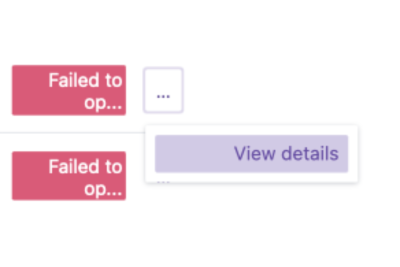
You may Retry to attempt processing the voucher again.
If the issue was caused by a temporary interruption, the voucher may process successfully after retrying.
Troubleshooting Bulk Vouchers
For large voucher batches, it is worth checking your CSV carefully before uploading.
Confirm that:
- There are no missing required fields.
- Email addresses are correct.
- Voucher amounts are correct.
- Names are spelled correctly.
- Messages contain the intended content.
- There are no duplicate rows.
Troubleshooting POS Errors
If a voucher cannot be redeemed through your POS, check:
- The POS connection details are correct.
- The voucher is active and has not expired.
- The barcode is readable and matches the configured barcode type.
- The POS system is online and available.