
Gift Experiences are fixed price gift vouchers and can be used to design a tailored experience.
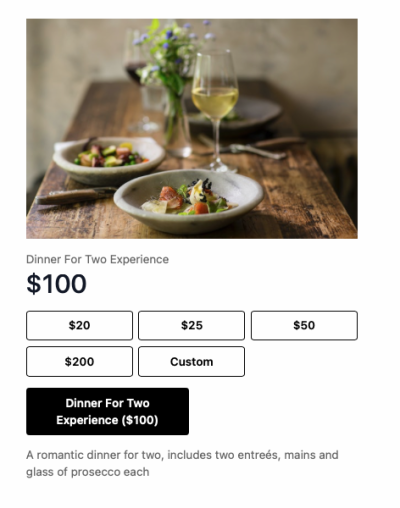
Examples:
- Two Mains and a Bottle of Wine for $100
- $200 Voucher and a free Bottle of Wine
- Christmas Hamper for $100
How to Create a Gift Experience Voucher
Select Add New Gift Experience to create a new experience.
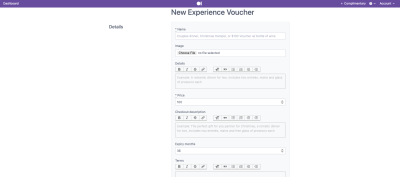
- Name: The name of the gift experience displayed to customers.
- Image: Upload an image to represent the gift experience. This image will be displayed with the voucher.
- Details: Add a description of what is included in the gift experience. Use the formatting options to customise the text.
- Price: Set the purchase price of the gift experience voucher.
- Checkout Description: Add the description customers will see during checkout. Use this section to provide any additional information about the experience.
- Expiry Months: Set how many months the voucher is valid for after purchase.
- Terms: Add any terms and conditions that apply to the gift experience voucher. This may include booking requirements, restrictions, or redemption information.
- Start and End Date: Set the date range for when the gift experience is available for purchase.
- Position: Set the display order of the gift experience when multiple experiences are available.
After saving your Gift Experience, use Preview Checkout to preview how it appears to customers.